Best Backup GUIs for Borg, Restic & Kopia
Desktop apps and web UIs that make open-source backups accessible to everyone.

Borg, Restic, and Kopia are powerful command-line backup tools. They handle encryption, deduplication, and compression beautifully. But not everyone wants to write shell scripts or memorize CLI flags. That's where GUIs come in.
If you're not sure which backup engine to pick yet, check out our comparison of Borg, Restic, and Kopia first. This article focuses on the frontends that wrap around them.
There are two categories: desktop apps that run locally on your machine, and web UIs that you self-host on a server. Let's look at both.
Desktop Apps
Arco Backup
Borg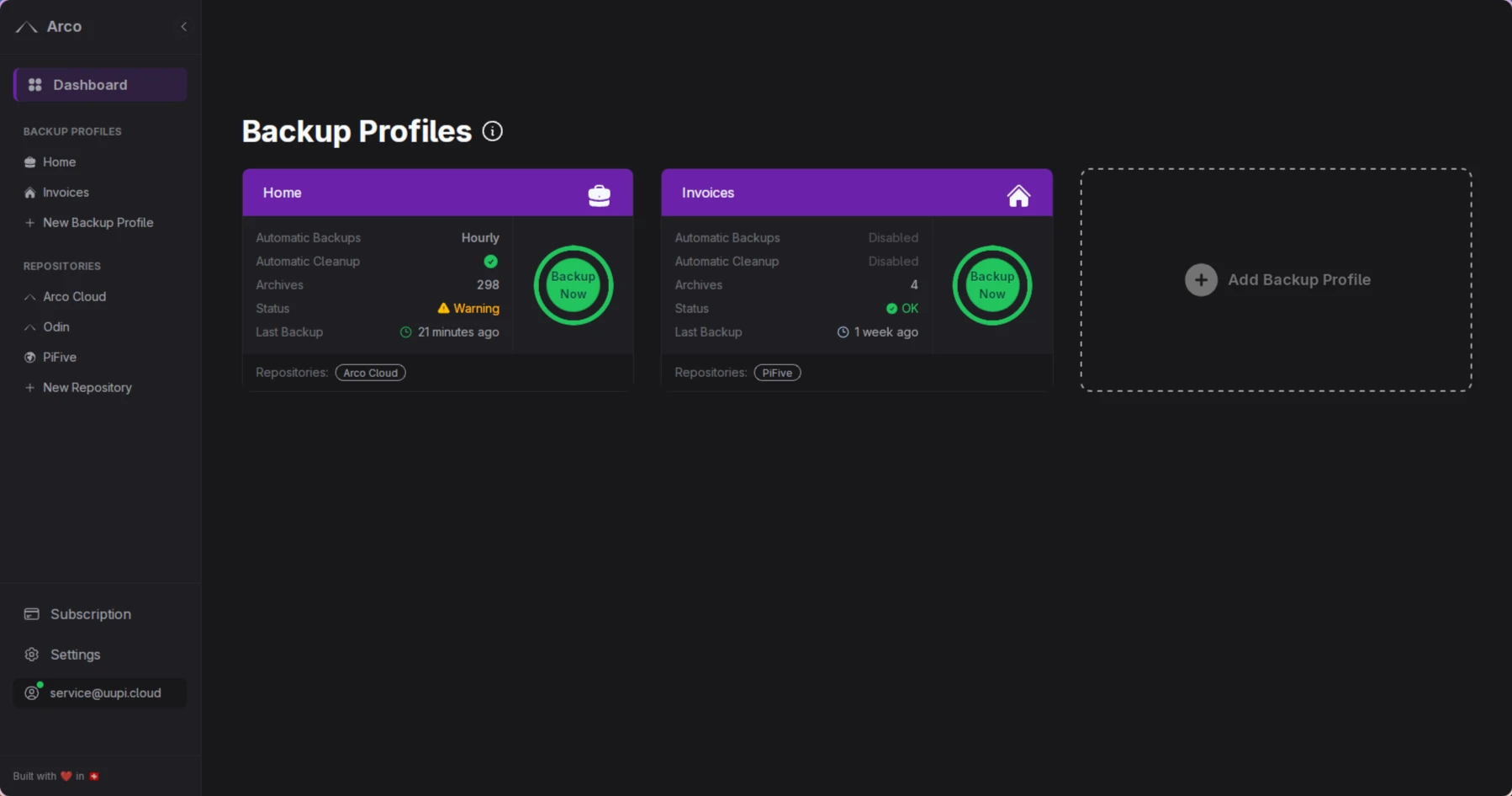
Pros
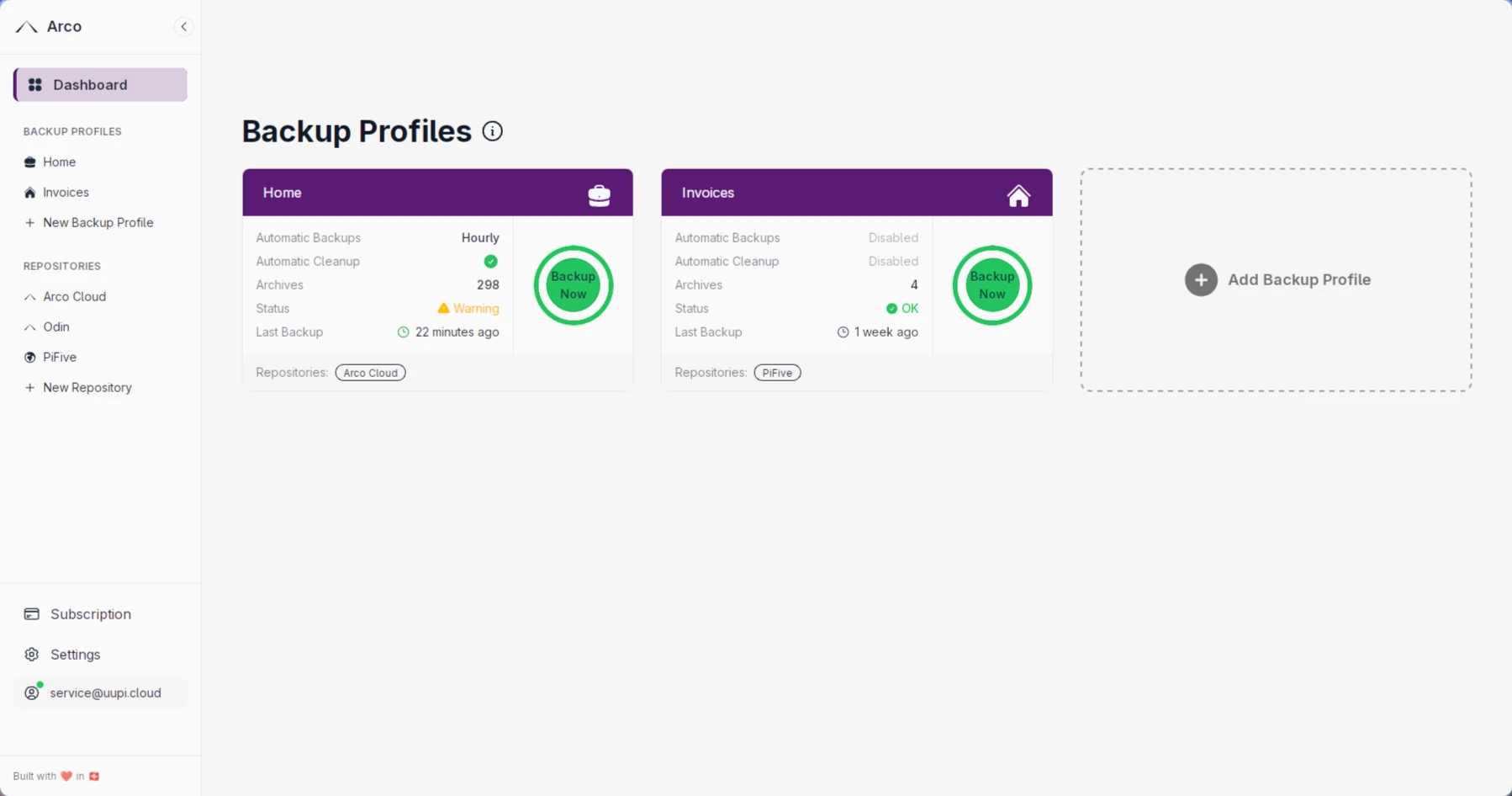
- • Clean, modern interface designed for simplicity
- • Built-in scheduler with flexible scheduling options
- • Easy remote repository setup via SSH
- • Managed cloud storage option (Arco Cloud)
- • Built with Wails - lightweight and native
Cons
- • Linux and macOS only (no Windows)
- • Newer project, smaller community
- • Limited to Borg backends (local, SSH)
Platforms: Linux, macOS
Pika Backup
Borgapps.gnome.org/PikaBackup | GitLab
Pros
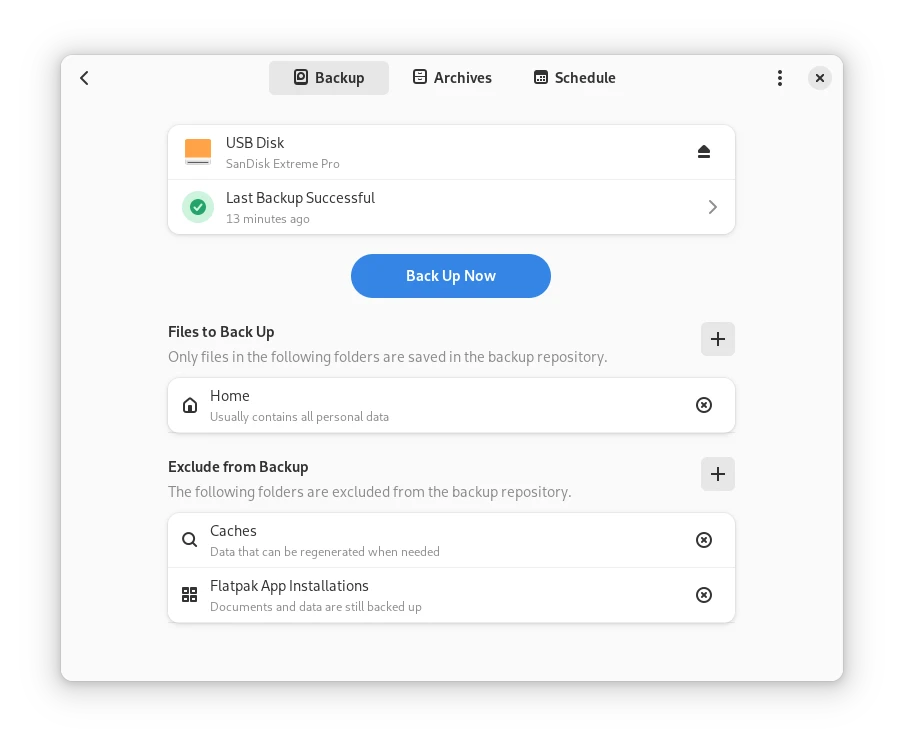
- • Beautiful GNOME-native interface
- • Extremely beginner-friendly - minimal config needed
- • 100k+ Flatpak downloads
- • Lightweight and well-integrated with GNOME desktop
- • Built-in scheduled backups with automatic archive cleanup
Cons
- • Linux only (GNOME-focused)
- • GUI-only tool (underlying Borg repos remain CLI-accessible)
- • Fewer advanced features compared to Vorta
- • Limited to Borg backends (local, SSH)
Platforms: Linux
Vorta
Borg ⭐ 2.5k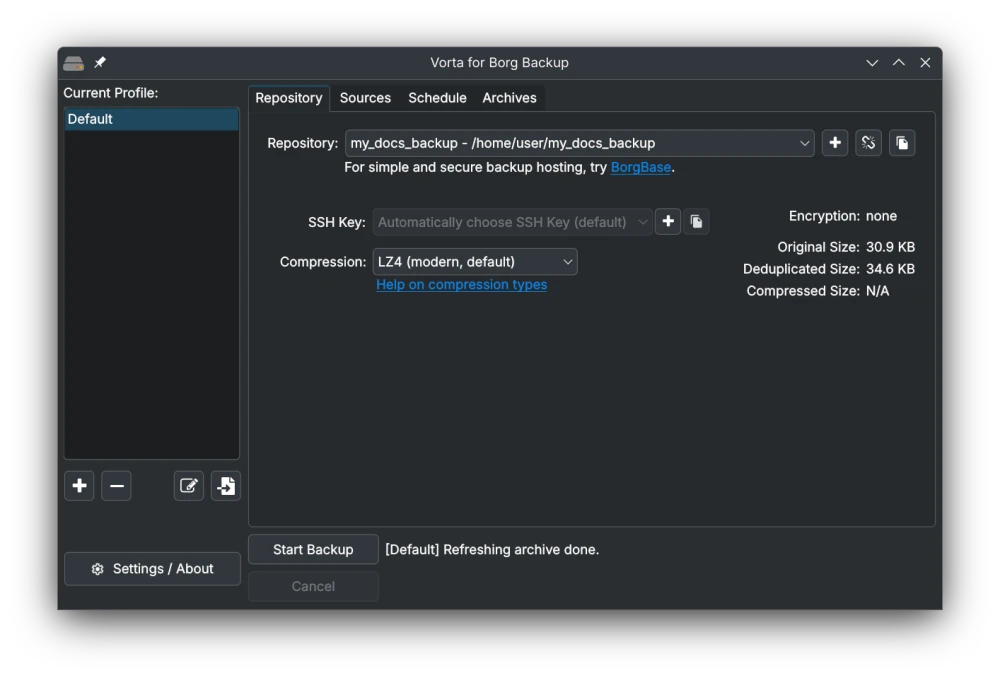
Pros
- • Most popular Borg GUI with an active community
- • Multiple backup profiles for different repos
- • Built-in scheduler and file browser for restores
- • Integrates with BorgBase managed hosting
- • Available via pip, Flatpak, and system packages
Cons
- • Qt-based UI can feel dated on some desktops
- • Linux and macOS only (experimental WSL support on Windows)
- • Limited to Borg backends (local, SSH)
Platforms: Linux, macOS
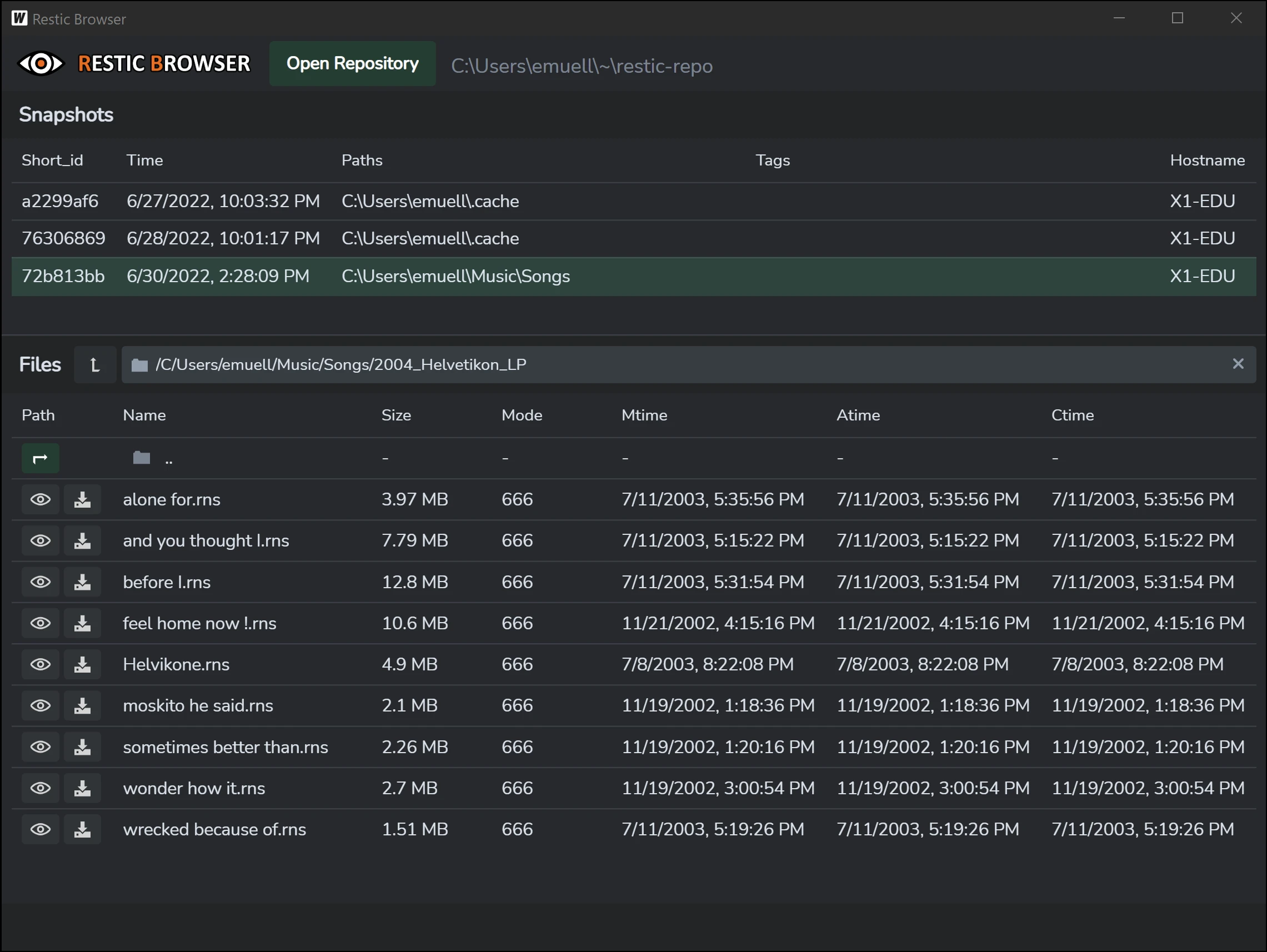
Restic Browser
Restic ⭐ 1.3kgithub.com/emuell/restic-browser
Pros
- • Browse and restore individual files from Restic snapshots
- • Cross-platform (Linux, macOS, Windows)
- • Supports all Restic backends
Cons
- • Read-only - can't create or schedule backups
- • Not a full backup manager, just a snapshot viewer
- • Focused utility with a niche scope
Platforms: Linux, macOS, Windows
KopiaUI
Kopia ⭐ 14.2k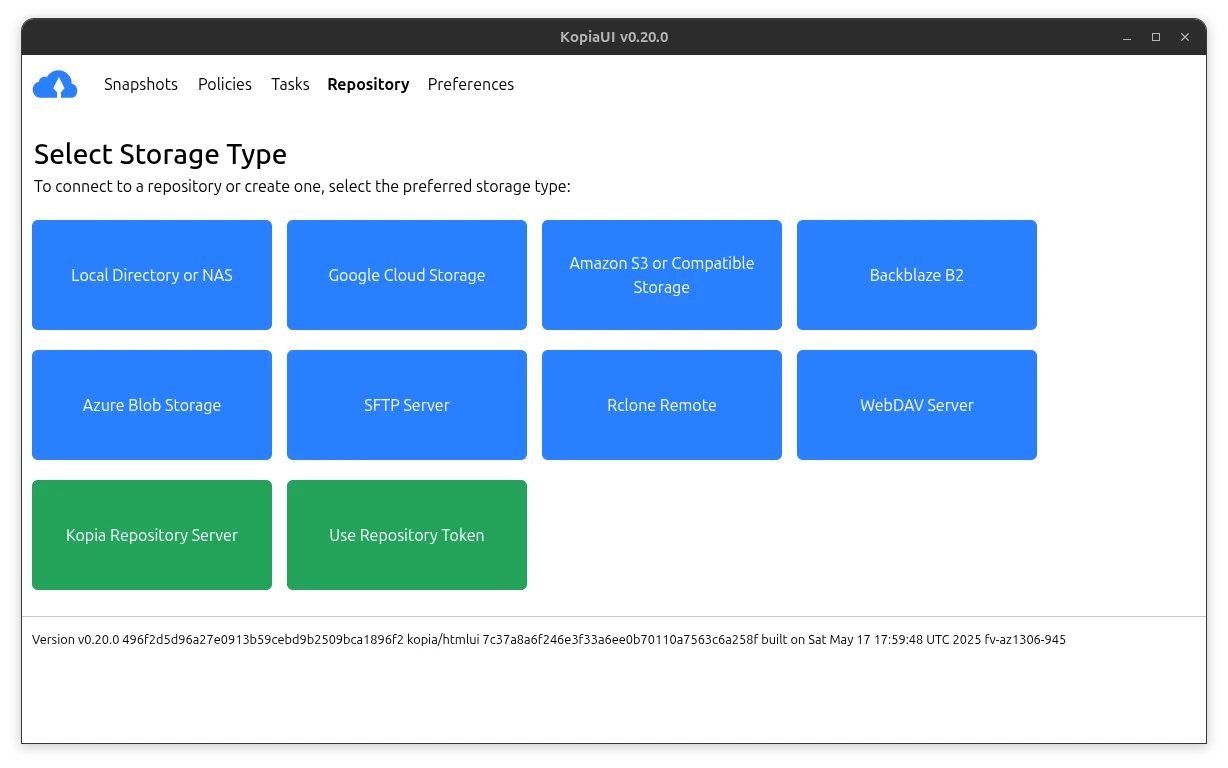
Pros
- • Official Kopia desktop app - built-in, not a wrapper
- • Near-full feature parity with the CLI
- • Built-in scheduling via snapshot policies
- • Cross-platform (Linux, macOS, Windows)
- • Supports all Kopia backends (S3, B2, SFTP, WebDAV, etc.)
Cons
- • Electron-based - heavier resource usage
- • UI can be overwhelming for beginners
- • Kopia itself is younger than Borg/Restic
Platforms: Linux, macOS, Windows
Web UIs
Web UIs are self-hosted dashboards that run on your server. They're ideal if you manage backups for multiple machines or want monitoring and alerts without installing anything on each client.
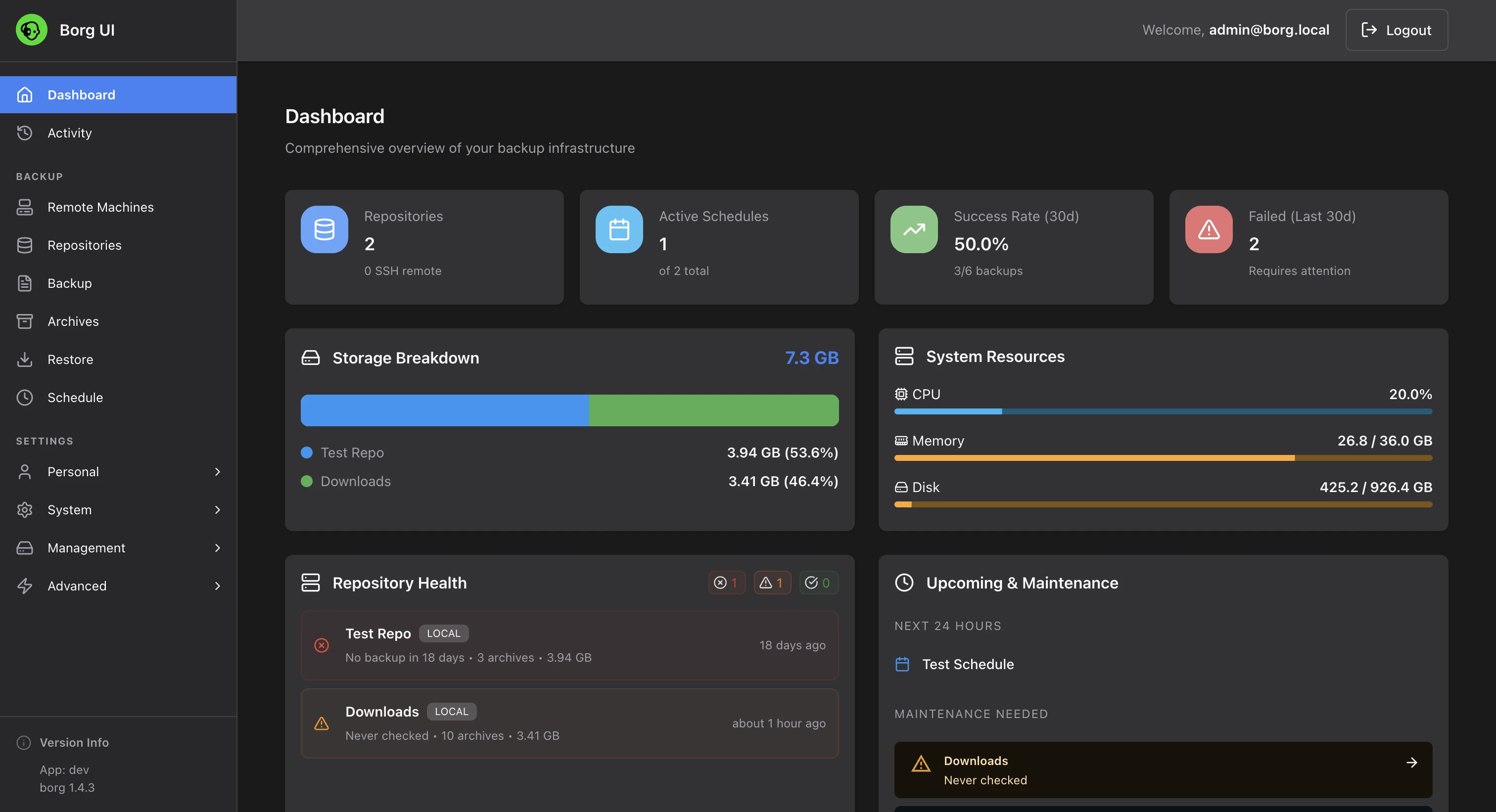
Borg UI
Borg ⭐ 1.6kkaranhudia.github.io/borg-ui | GitHub
Pros
- • Real-time backup monitoring with detailed progress
- • 100+ notification services (Email, Slack, Discord, Telegram)
- • Configurable encryption and compression options
- • Multi-architecture Docker support (amd64, arm64, armv7)
- • Custom Borg flags support
- • Archive browser with file-level restore
- • Visual cron scheduler for automated backups
- • Built-in SSH key management
Cons
- • Smaller community
- • Limited to Borg backends (local, SSH)
- • Requires Docker for deployment
Access from: Any browser (self-hosted via Docker)
BorgWarehouse
Borg ⭐ 674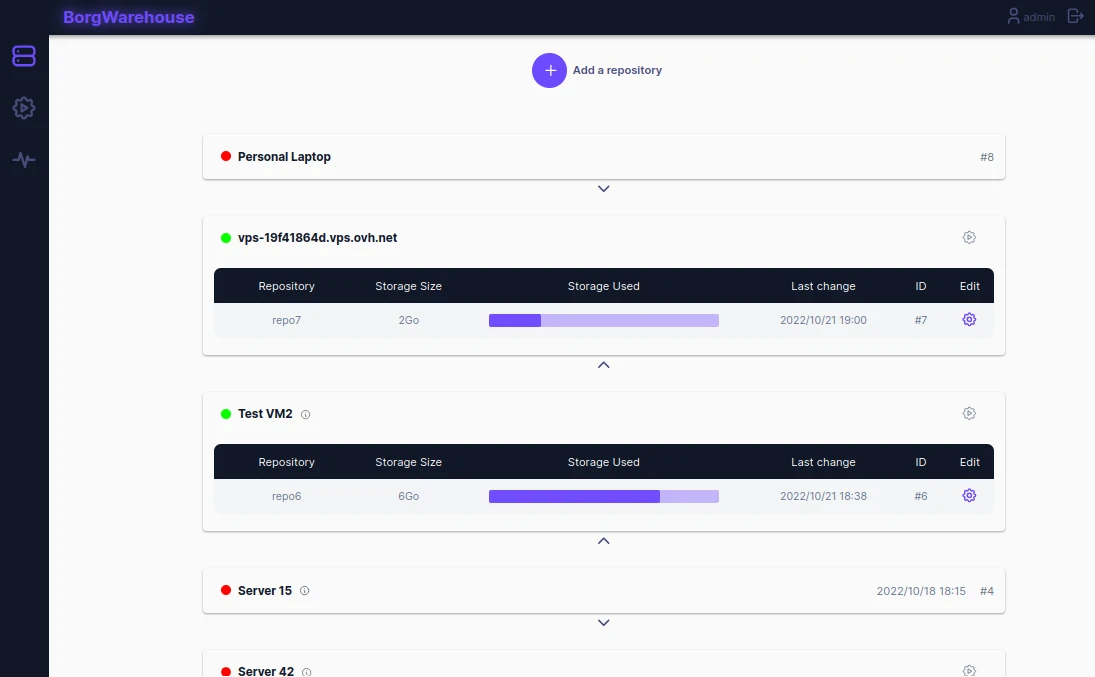
Pros
- • Server-side Borg repository management
- • Monitoring dashboard with storage usage and alerts
- • Easy repo provisioning for multiple clients
- • Apprise notifications (90+ services including Email, Slack, Discord)
Cons
- • Server-side only - doesn't run backups, just manages repos
- • Still need a client tool (Borg CLI, Arco, Vorta) to create backups
- • No file browsing or restore functionality
Access from: Any browser (self-hosted)
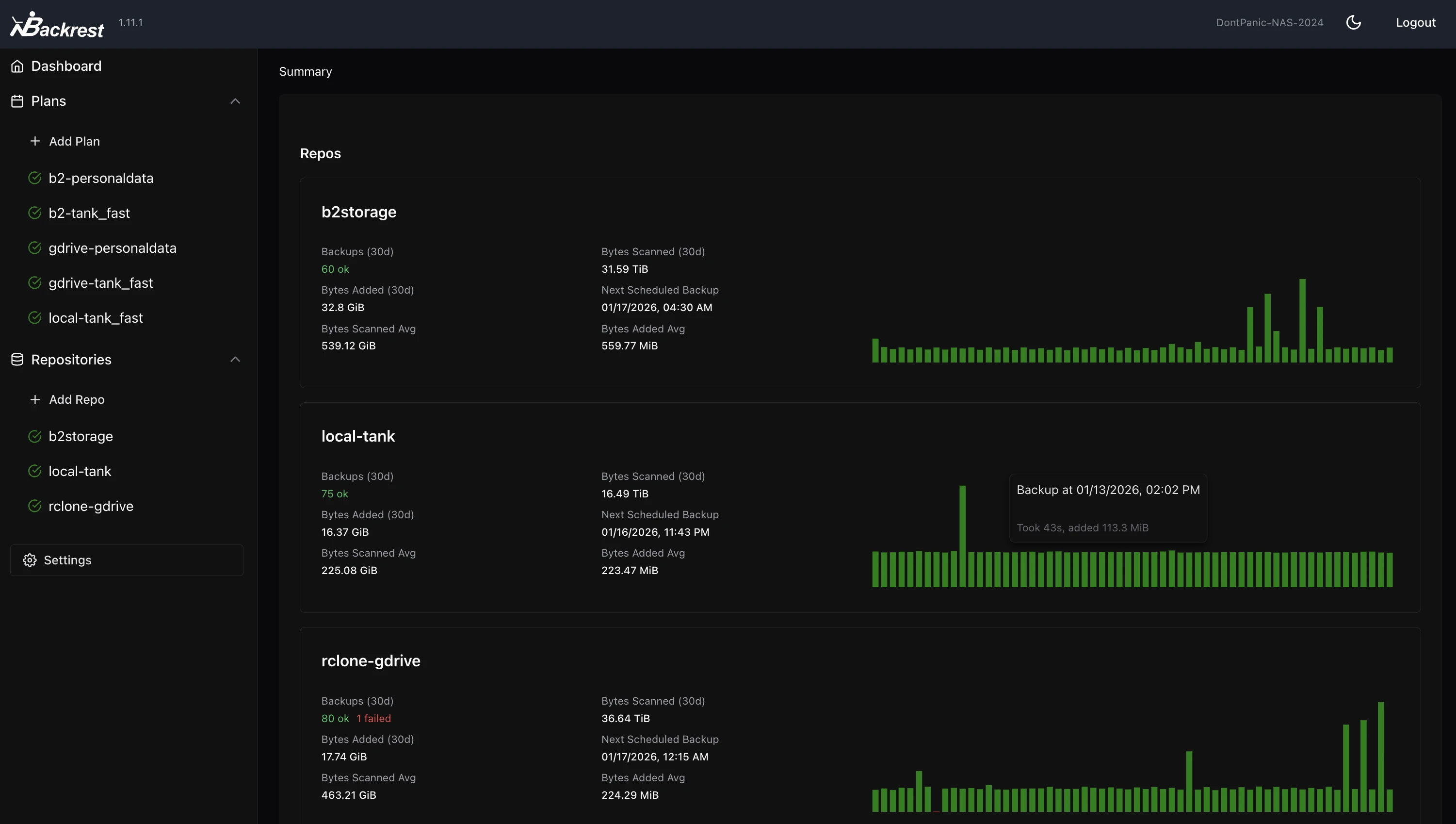
Backrest
Restic ⭐ 7.4kgithub.com/garethgeorge/backrest
Pros
- • Most recommended Restic GUI in the community
- • Full backup management: scheduling, snapshots, restore
- • Multi-repo support
- • Supports all Restic backends including cloud storage
- • Active development and growing community
Cons
- • Requires self-hosting (Docker or binary)
- • Web-only - no native desktop integration
- • Restic-only - no support for other backends
Access from: Any browser (self-hosted)
Zerobyte
Restic ⭐ 7.0k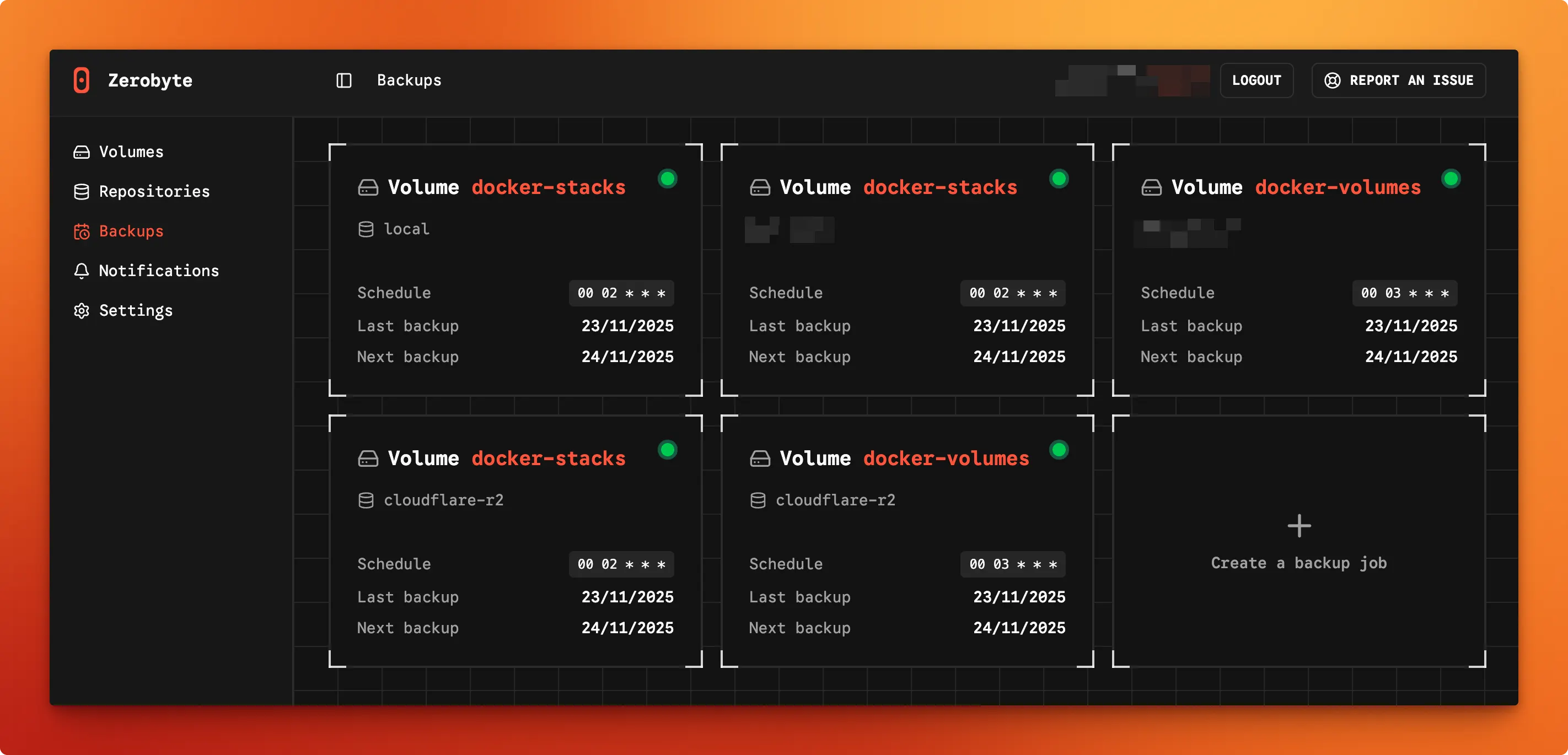
Pros
- • Rclone integration for 40+ cloud storage providers
- • Multi-protocol volume support (NFS, SMB, WebDAV, SFTP)
- • Web-based scheduling and monitoring
- • File-level restore capabilities
- • Easy Docker Compose deployment
Cons
- • Requires Docker for deployment
- • Pre-1.0 - expect breaking changes between versions
- • Restic-only
Access from: Any browser (self-hosted via Docker)
Kopia Server Web UI
Kopia ⭐ 14.2k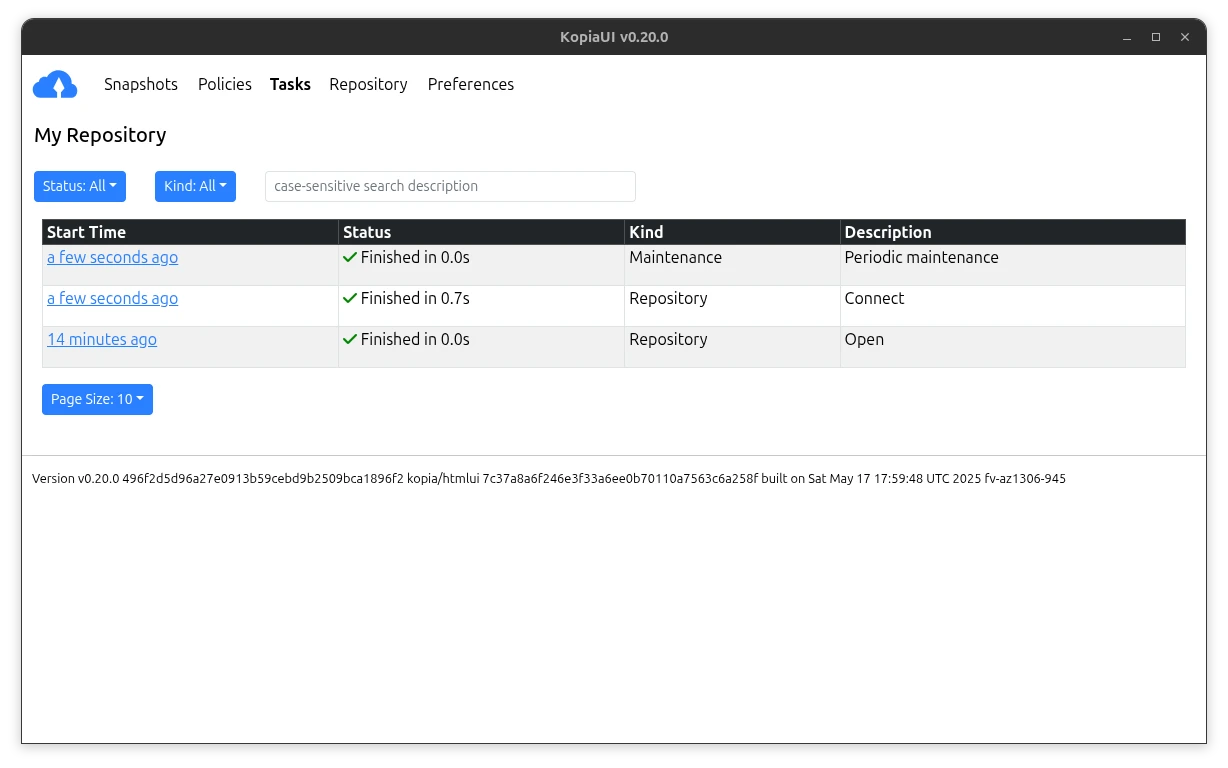
Pros
- • Official built-in web UI - no extra install needed
- • Policy management, scheduling, and snapshot browsing
- • Supports all Kopia backends (S3, B2, SFTP, WebDAV, etc.)
- • Can serve as a remote repository server for other clients
Cons
- • Limited to a single repository per server instance
- • Some advanced features are CLI-only
- • UI can feel technical for beginners
Access from: Any browser (run via kopia server start --ui)
Not sure which tool is right for you?
Answer a few questions and we'll rank the best options for your setup.
Open the Backup Tool Picker